Dealer-level diagnostics for your Jeep, Chrysler, Dodge, Ram, Fiat, Alfa Romeo, Lancia & Maserati.
Scan every module — not just the engine. Read DTCs, stream live data, run actuator tests, edit configurations and run 175+ FCA-specific procedures. No $3,000 dealer scanner required.

More than a scanner — a full workshop tool.
Read it, watch it, change it — every module in your FCA vehicle, straight from your phone.
Full module scan
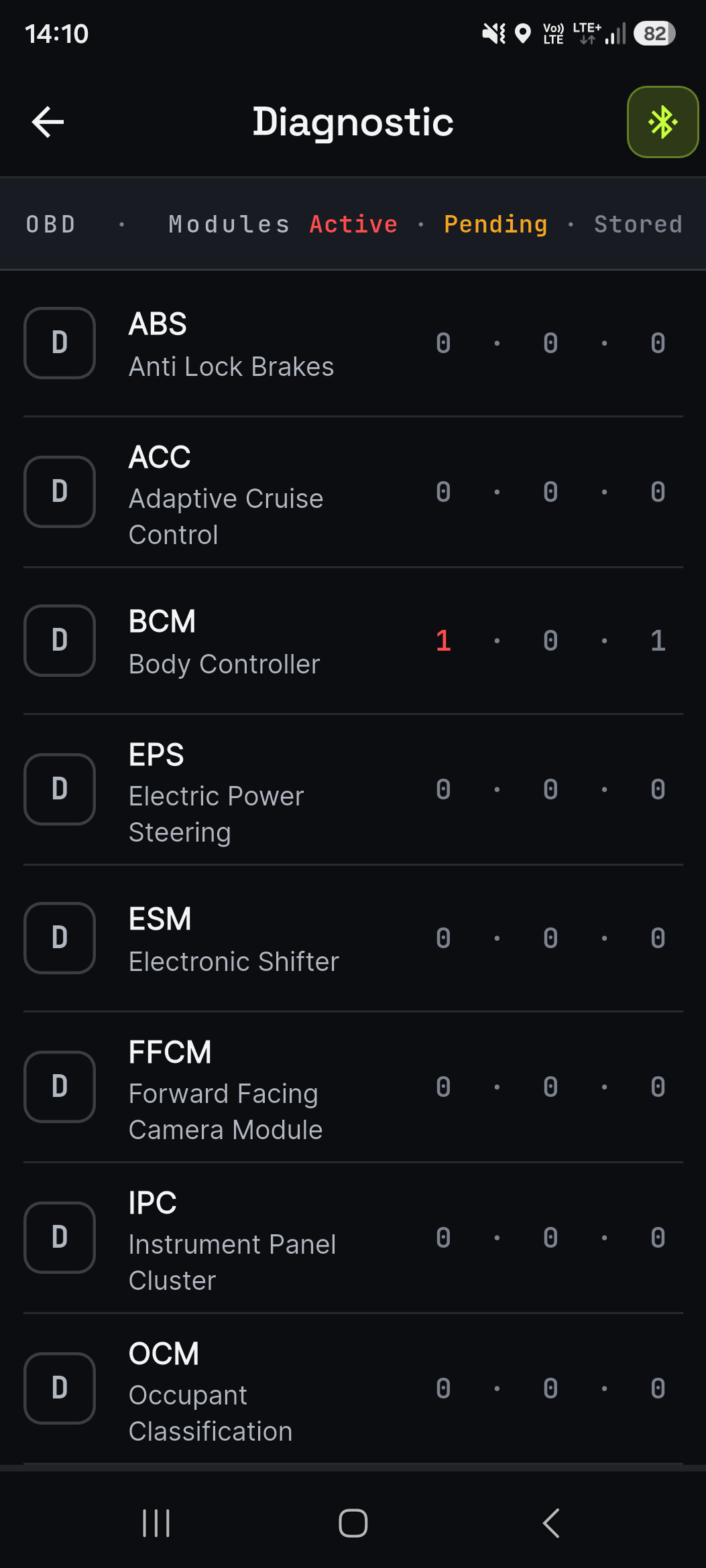
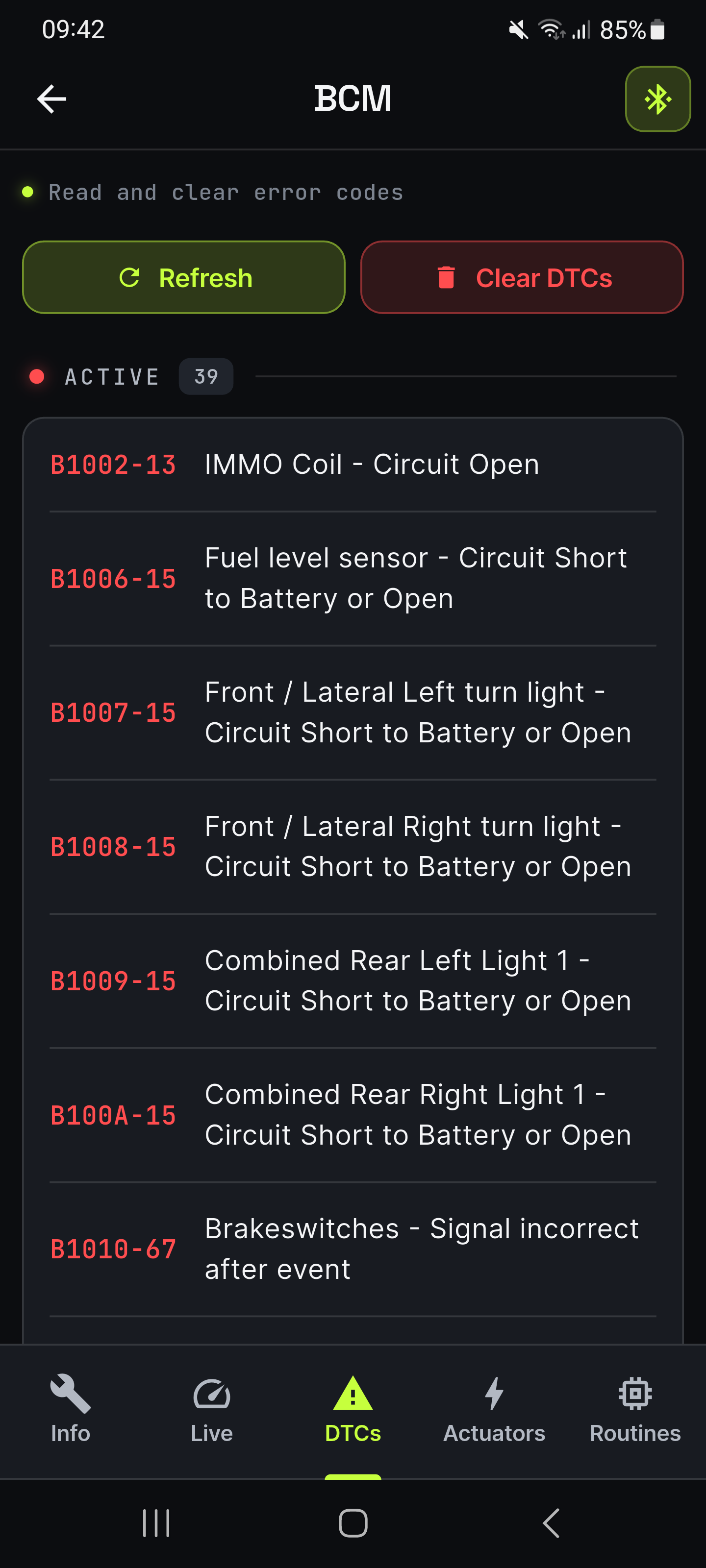
ECM, TCM, ABS, BCM, SRS airbag, HVAC, IPC, park sense — every controller in your FCA vehicle. Read active, pending and stored DTCs with FCA-specific descriptions.
Live data with real-time charts
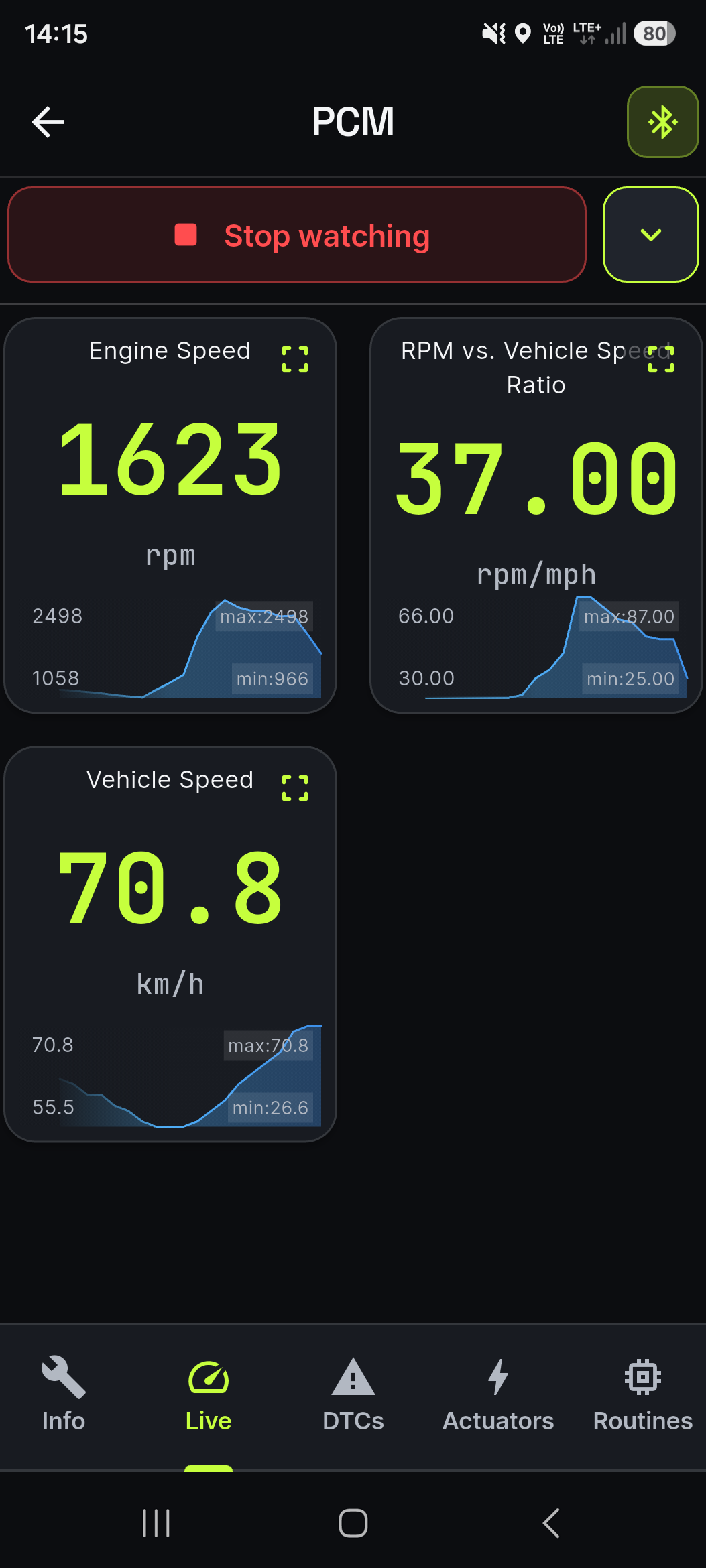
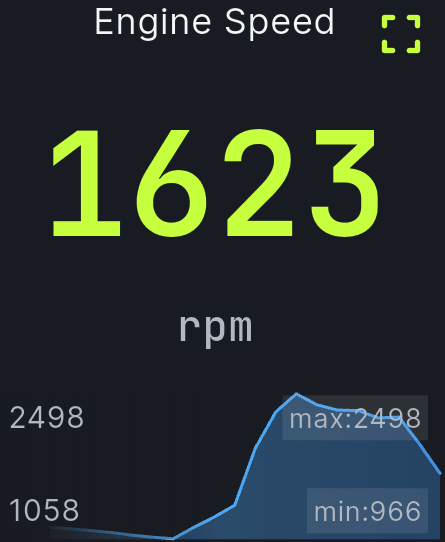
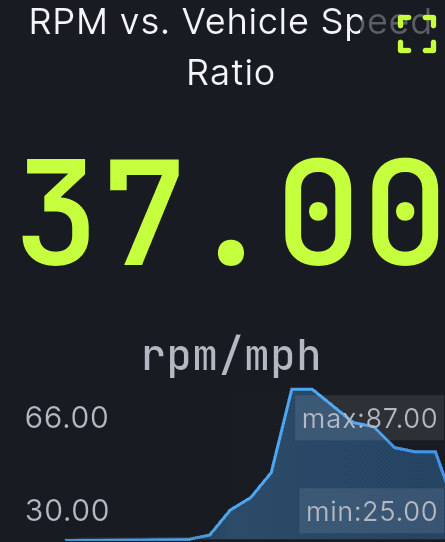
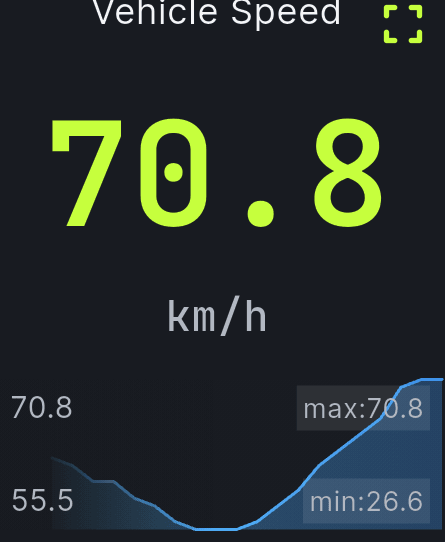
Watch any parameter live — RPM, coolant, fuel trims, sensor voltages and dozens more — with charts and min/max on every metric.
Actuator tests
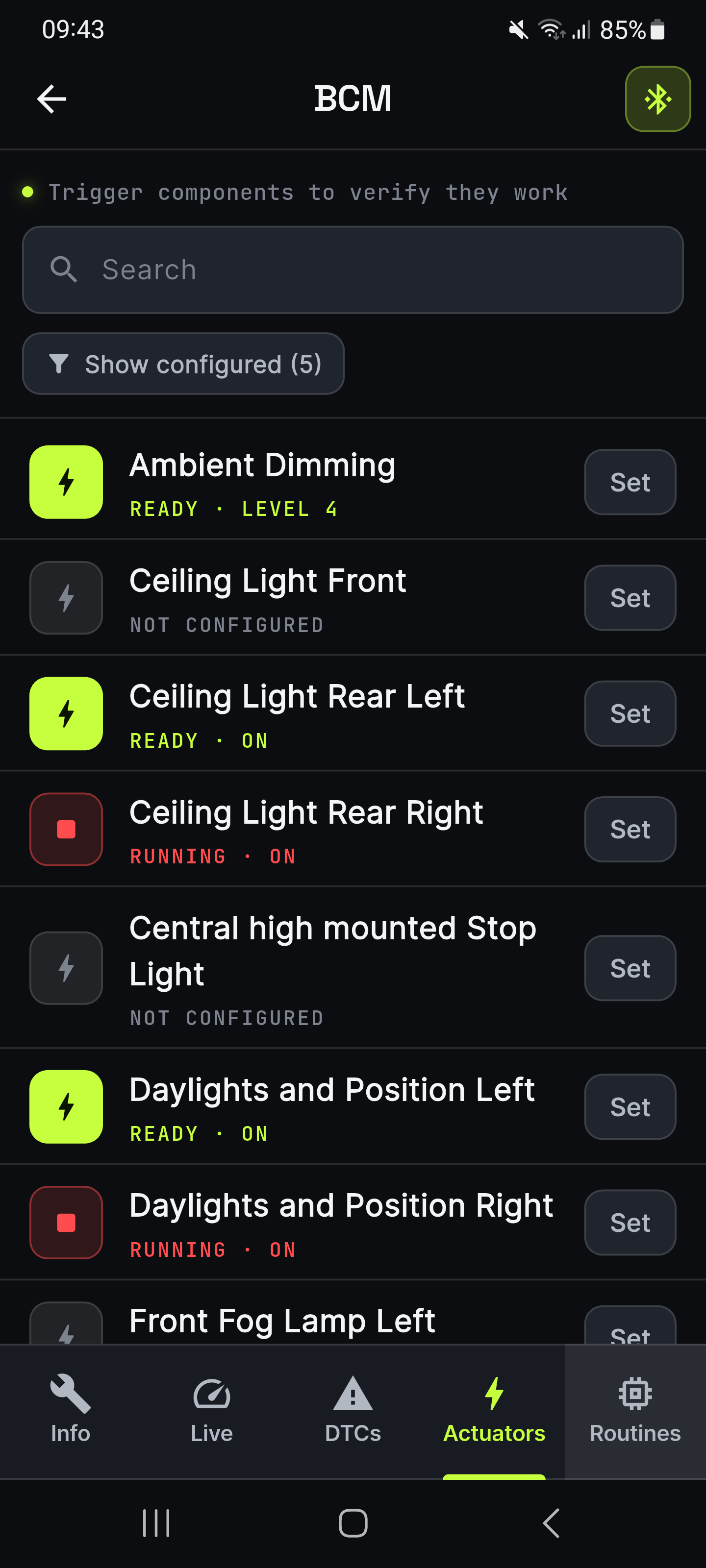
Command lights, locks, cooling fans, horn and valves — then watch them respond. Verify a component in seconds instead of chasing wires.
Configuration coding
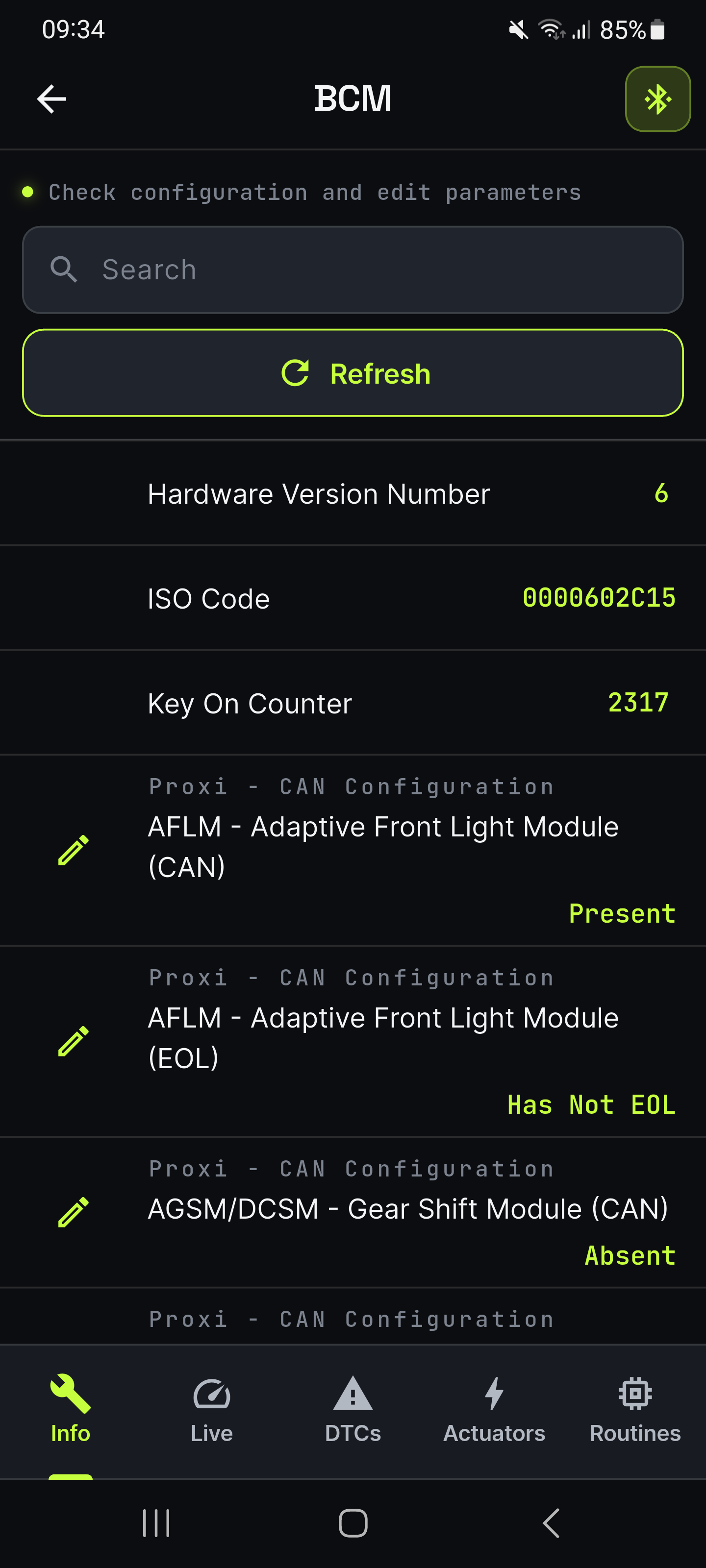
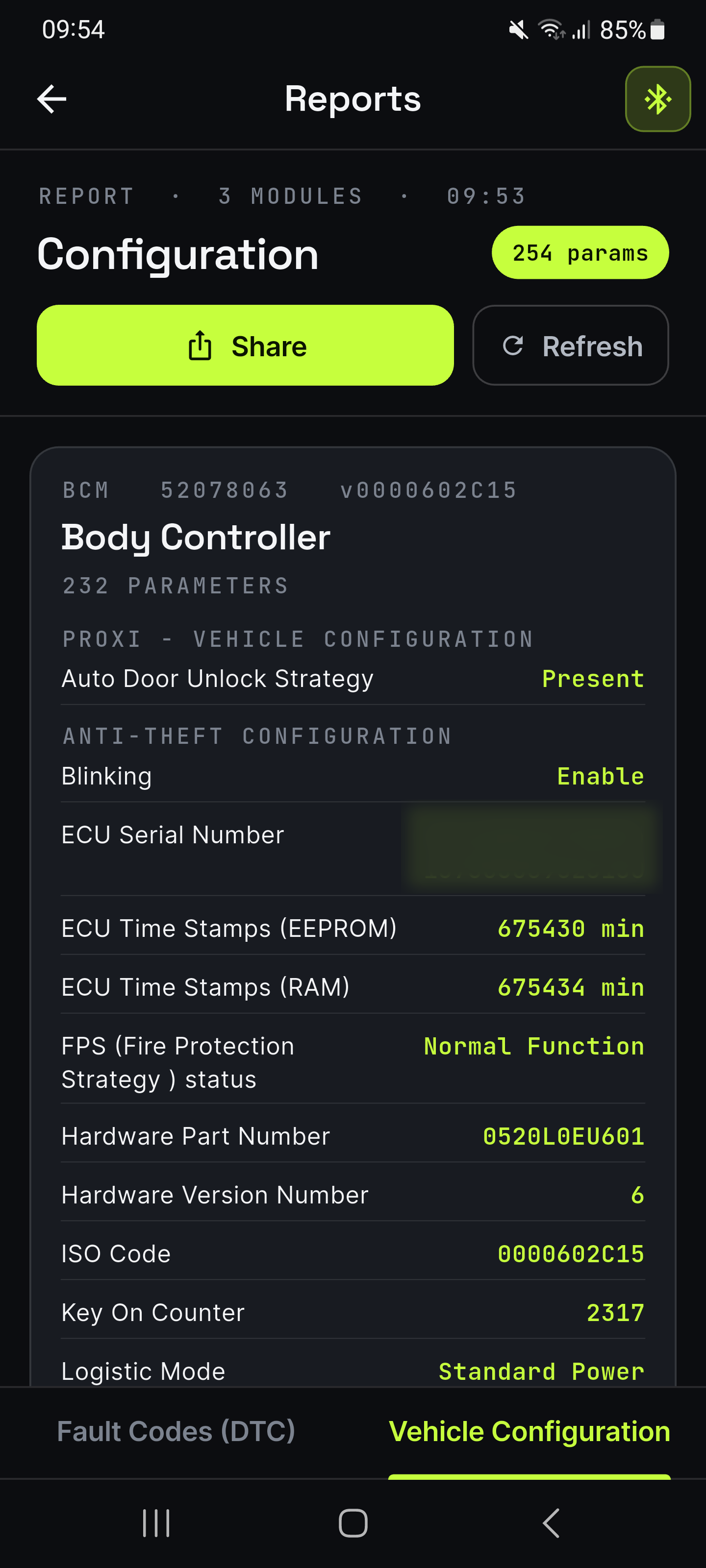
View and edit hidden module settings — daytime running lights, auto-lock speed, parking-sensor volume and more. Dealer-only tweaks, unlocked.
Backup & restore
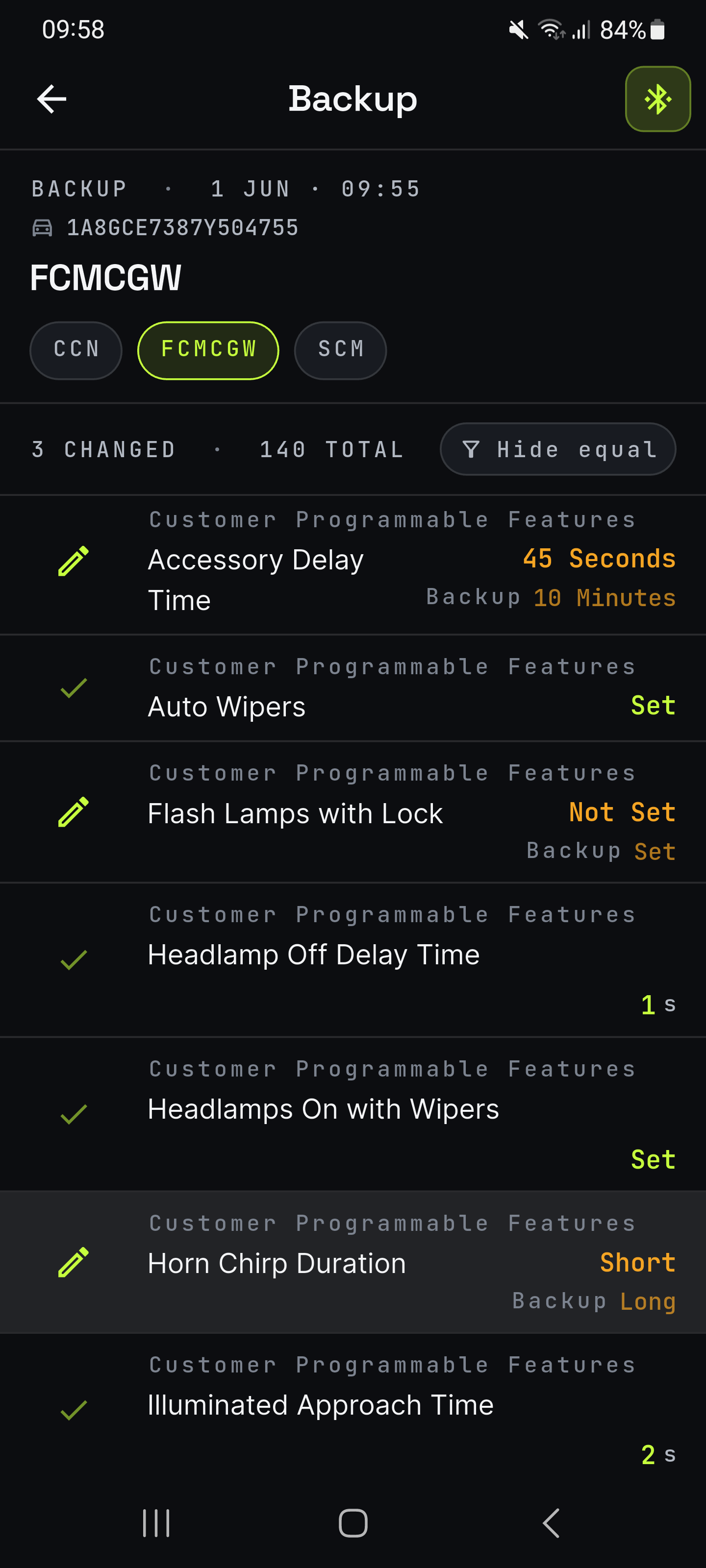
Save your module configuration to the cloud. Later, compare it against the car’s current settings and restore any value that changed — one parameter at a time, just like the editor.
175+ guided FCA procedures
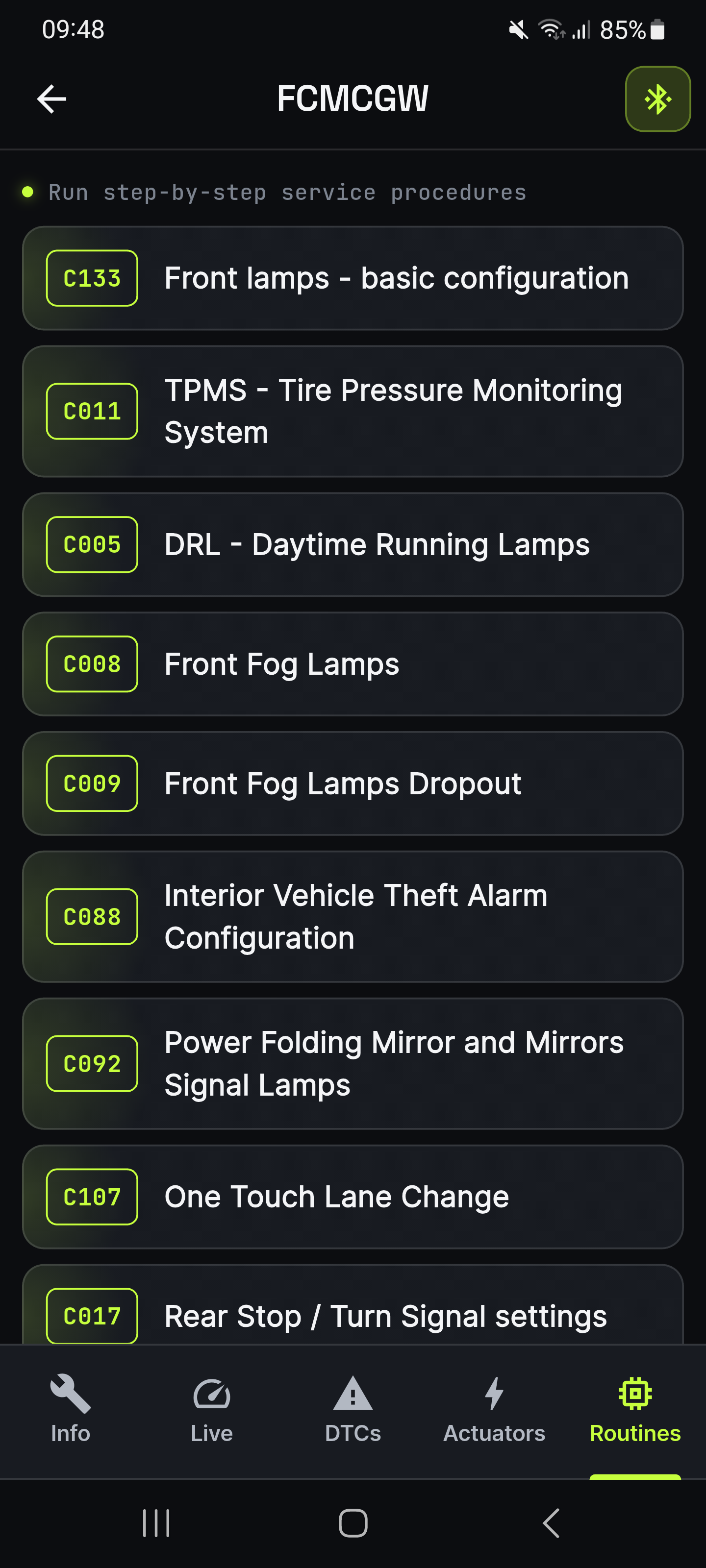
Step-by-step procedures for keys & immobilizer, ABS bleeding, TPMS relearn, transmission adaptations, lighting and comfort features — clear on-screen instructions, not a manual to decipher.
PDF reports, ready to share
Two complete PDF reports: every fault code across all modules, or your full configuration across all modules — ready to send to a mechanic or keep for your service history.
Built for mechanics. Simple enough to do it yourself.
Not a generic reader. Not a $3,000 dealer tool.
Cheap OBD apps read the engine and stop there. Dealer scanners do everything — for the price of a used car. OBDify puts dealer-level depth on the phone in your pocket.
| Generic OBD-II app | OBDify | Dealer scanner | |
|---|---|---|---|
| Engine fault codes (P-codes) | |||
| Every module — ABS, airbag, BCM, TCM, HVAC… | |||
| Manufacturer-specific FCA fault codes | |||
| Live data from any module | |||
| Actuator tests | |||
| Guided FCA service procedures | |||
| Edit & code configurations | |||
| Runs on your phone | |||
| Typical cost | ~$10, engine only | Free to scan · $19.99 to fix | $3,000 + appointment |
Comparing a specific app? See how OBDify stacks up against MultiECUScan, JScan, AlfaOBD and more.
If it's Mopar, we speak its language.
80+ models across 8 brands of the FCA / Stellantis family, 2004 onward. Check your exact model and year — free in-app — before you commit.
175+ guided procedures, 32 systems.
FCA-specific routines and configurations — key programming, ABS bleeding, TPMS reset, throttle relearn, lighting customization and far more.
Pay for what you need. Nothing more.
Start free. Unlock the complete app for one vehicle with a single payment — or subscribe to Premium for core diagnostics on every car you plug into.
Free
Try OBDify on your car before you commit.
- Read configuration parameters
- Read error codes (DTC)
- Shareable reports
Premium
SubscriptionThe essentials, on every car you plug into.
- Everything in Free
- Read & clear error codes
- Live data monitoring
- Actuator tests
- Unlimited vehicles
Vehicle Unlock
One-timeOne-time payment — the full app for one car. No subscription needed.
- Everything in Premium — for one vehicle
- Edit configuration parameters
- Guided diagnostic procedures
- Configuration backup & restore
Prices shown in USD. Purchases are handled by the App Store and Google Play, which set the final price and local taxes for your country. See our Terms for full details.
You'll need a Bluetooth OBD-II adapter.
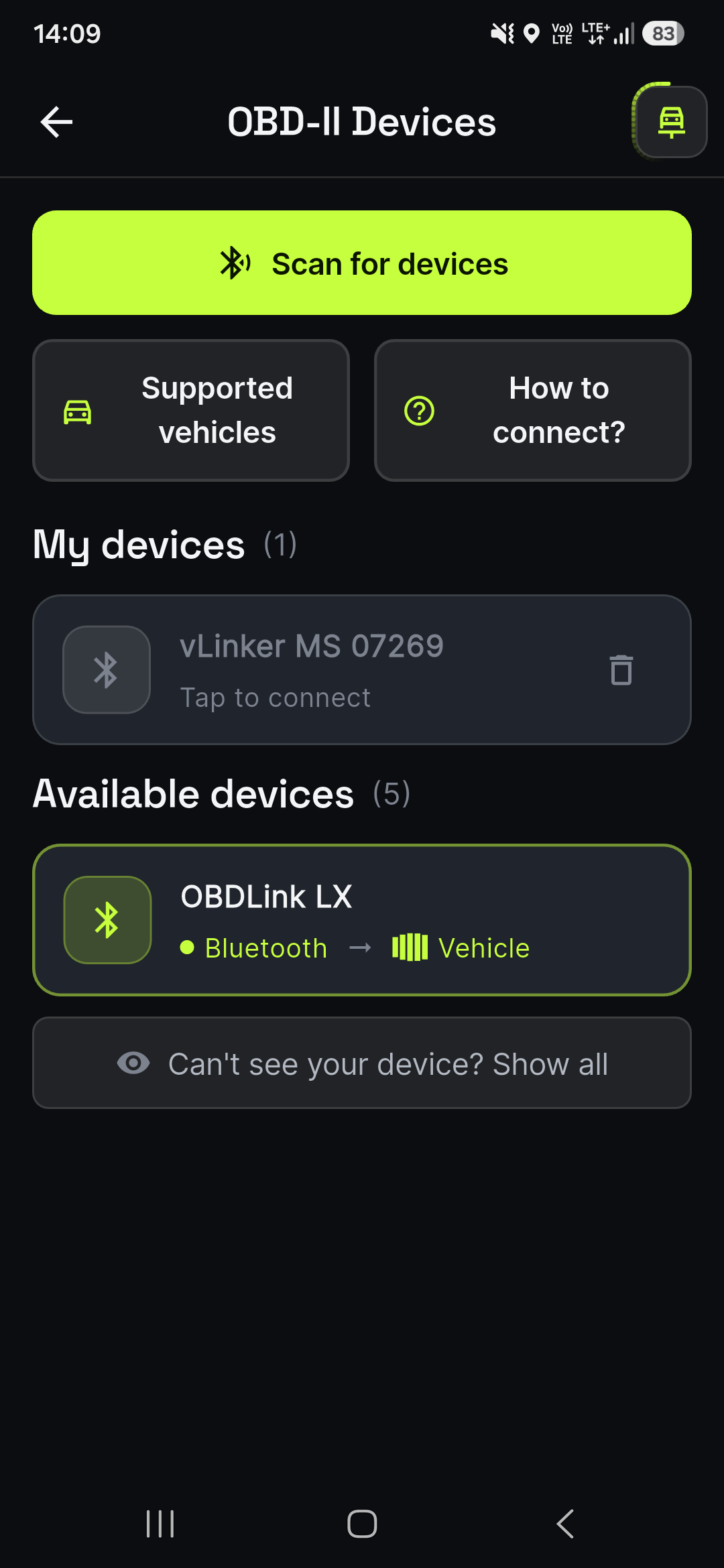
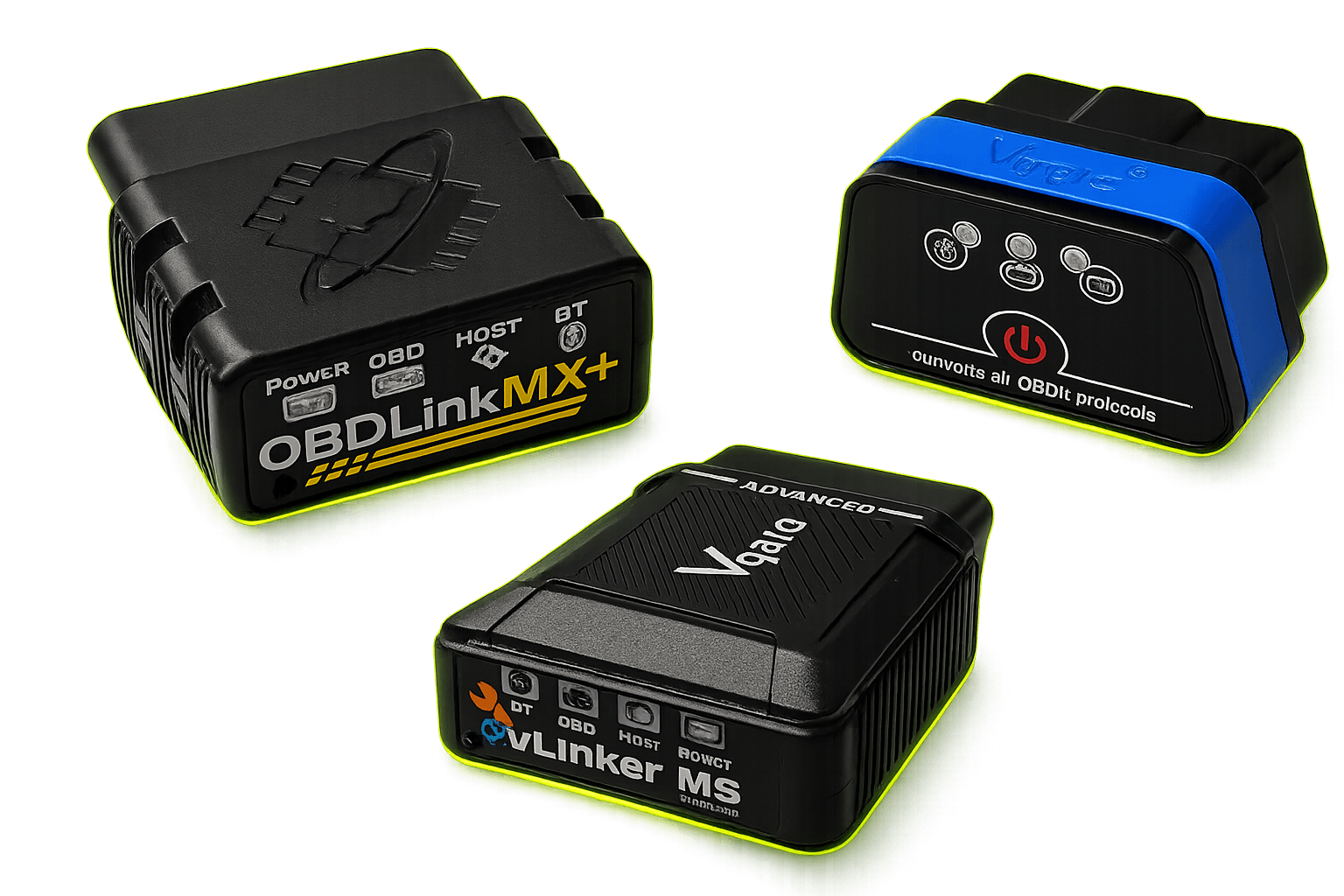
OBDify works with any ELM327-compatible Bluetooth adapter. For reliable access to every FCA module, we recommend the vLinker MS or OBDLink MX+ — see all the ones we support.
Some modules — and FCA vehicles from 2018 onward — need extra hardware: a colour-coded bus cable or an SGW bypass cable. See the details →
Questions, answered.
Which vehicles does OBDify support?
FCA / Stellantis vehicles from 2004 onward: Jeep, Chrysler, Dodge, Ram, Fiat, Alfa Romeo, Lancia and Maserati — 80+ models. You can check whether your exact vehicle is supported for free in the app before upgrading. OBDify does not support other makes such as Toyota, Honda, BMW or Volkswagen (only the Routan, a rebadged Chrysler).
Do I need a special adapter?
No — but the right kind of Bluetooth one. On Android, any standard ELM327 or OBDLink adapter works. On iPhone you need a Bluetooth Low Energy (BLE) or MFi-certified adapter — standard Bluetooth Classic ones don't connect on iOS. We recommend the OBDLink MX+ or vLinker MS, which work on both iPhone and Android and give the most reliable connection and full module access.
Do I need anything extra for a 2018 or newer vehicle?
Yes. FCA / Stellantis vehicles from 2018 onward have an active Security Gateway (SGW) that blocks write operations. To clear error codes, run resets and service procedures, perform actuator tests or edit configurations on these cars, you also need an SGW Bypass cable connected in-line between the OBD2 port and your adapter. Reading fault codes, configuration parameters and live data works without it.
Is OBDify safe to use on my car?
Reading fault codes, live data and reports is completely passive — OBDify only listens to your car and changes nothing. The actions that write to the car — clearing codes, actuator tests, configuration changes and guided procedures — use the same standard routines a workshop relies on; as with any diagnostic tool, you run them at your own responsibility. Most are only needed when you're actually servicing or fixing something, so you use them when there's a reason to — not for everyday tinkering.
What's the difference between Premium and Vehicle Unlock?
Premium is a subscription that unlocks core diagnostics — live data, clearing codes and actuator tests — on any car you plug into. Vehicle Unlock is a one-time, per-vehicle purchase that unlocks the full app for that vehicle — including editing configuration parameters, guided procedures and configuration backup & restore — with no subscription required for that car. In short: a subscription gives you core diagnostics across many cars, while Vehicle Unlock gives you the full, advanced capabilities for one specific car.
Is Vehicle Unlock a one-time payment?
Yes — it is a one-time payment per vehicle, not a subscription, with no recurring fee. It unlocks the full app for that vehicle, and no subscription is required for that car.
Can I try before I buy?
Yes — in two ways. The free tier is read-only: read DTCs, view configuration parameters and generate reports to confirm your vehicle connects. Premium also comes with a free trial — 7 days on the monthly plan, 14 days on the annual plan — so you can test the subscription features (live data, clearing codes and actuator tests) at no charge. The one-time Vehicle Unlock (full app for one car, no subscription) is not covered by the trial.